See It In Action
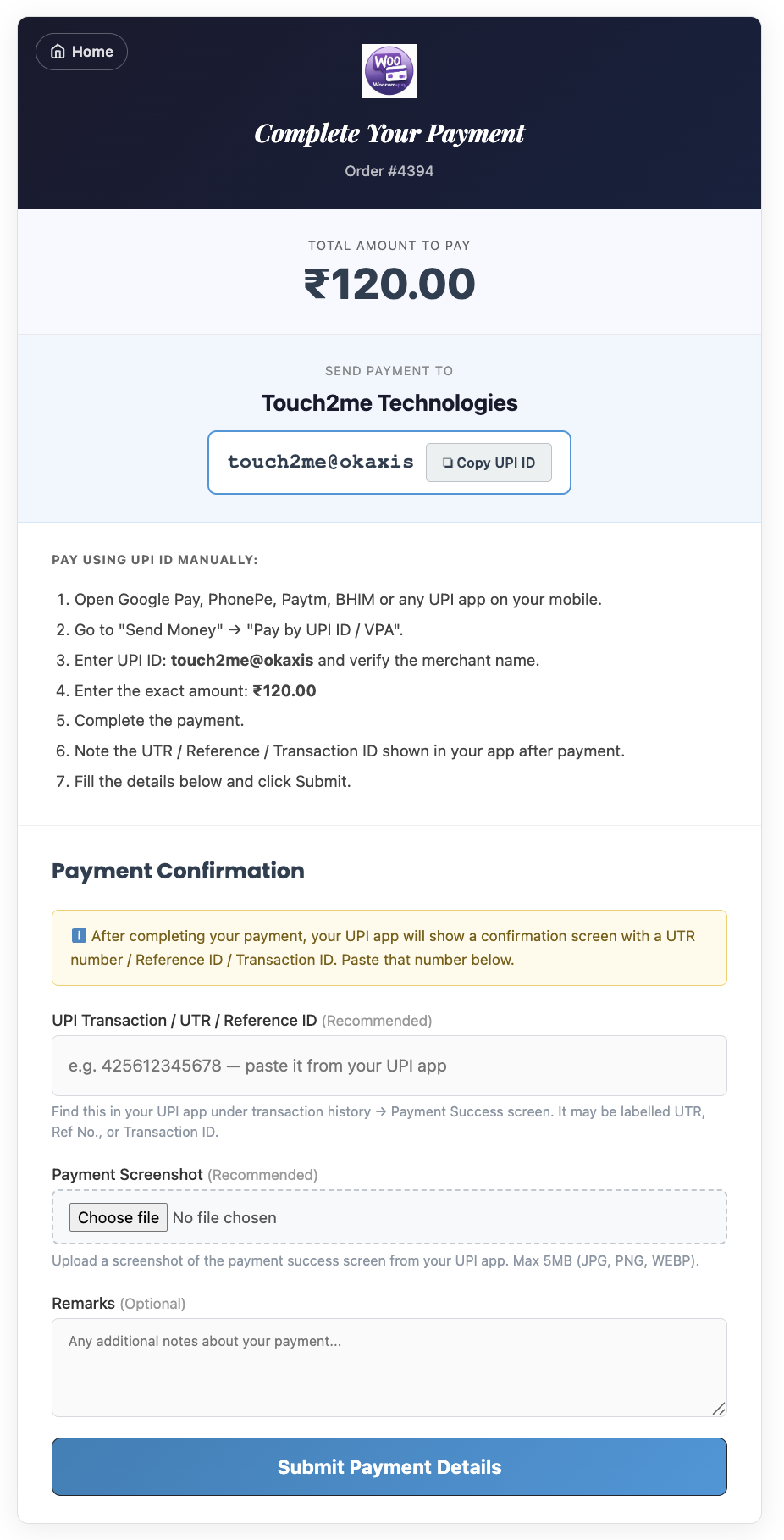
Clean, intuitive interface — for you and your customers
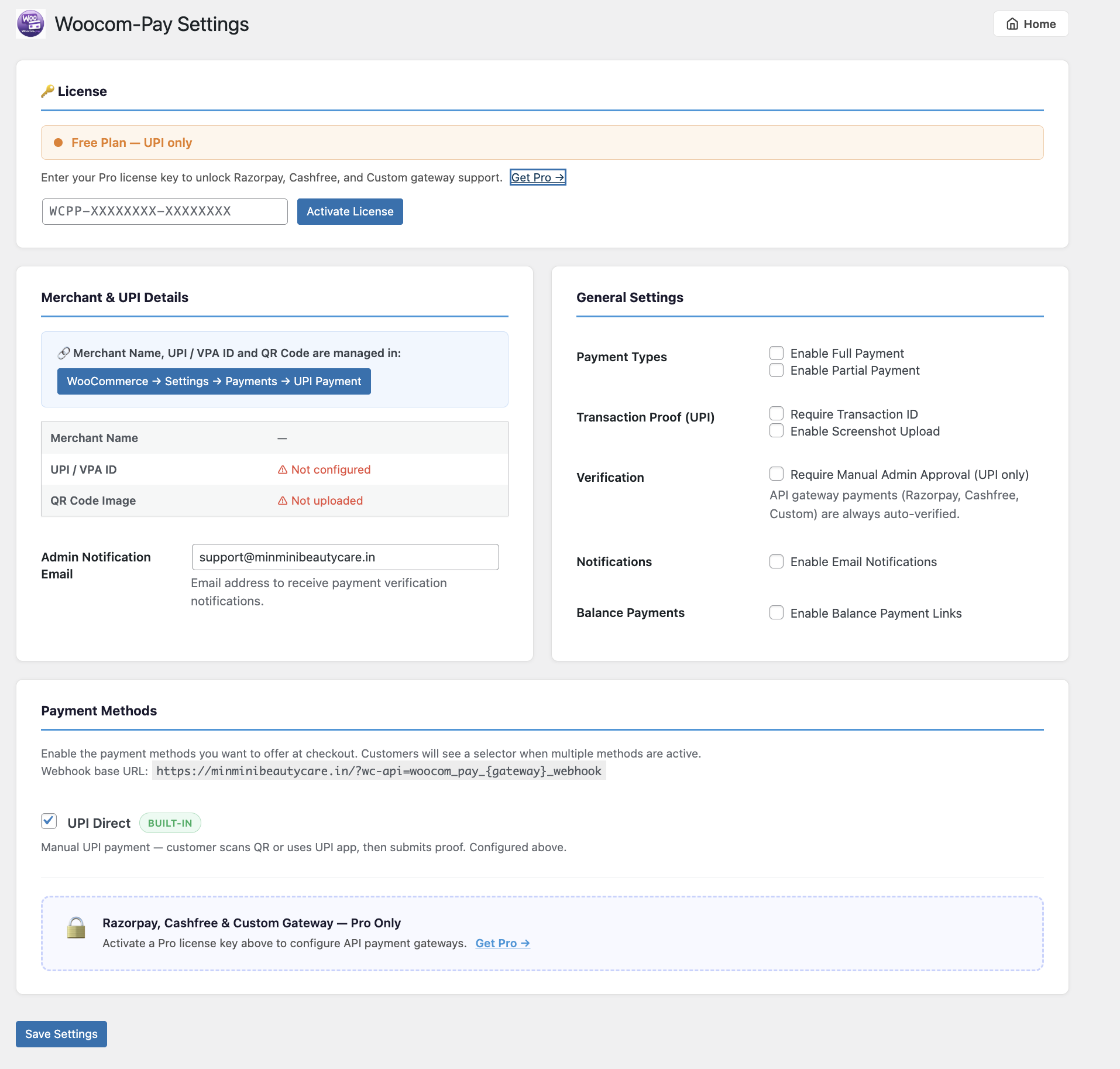
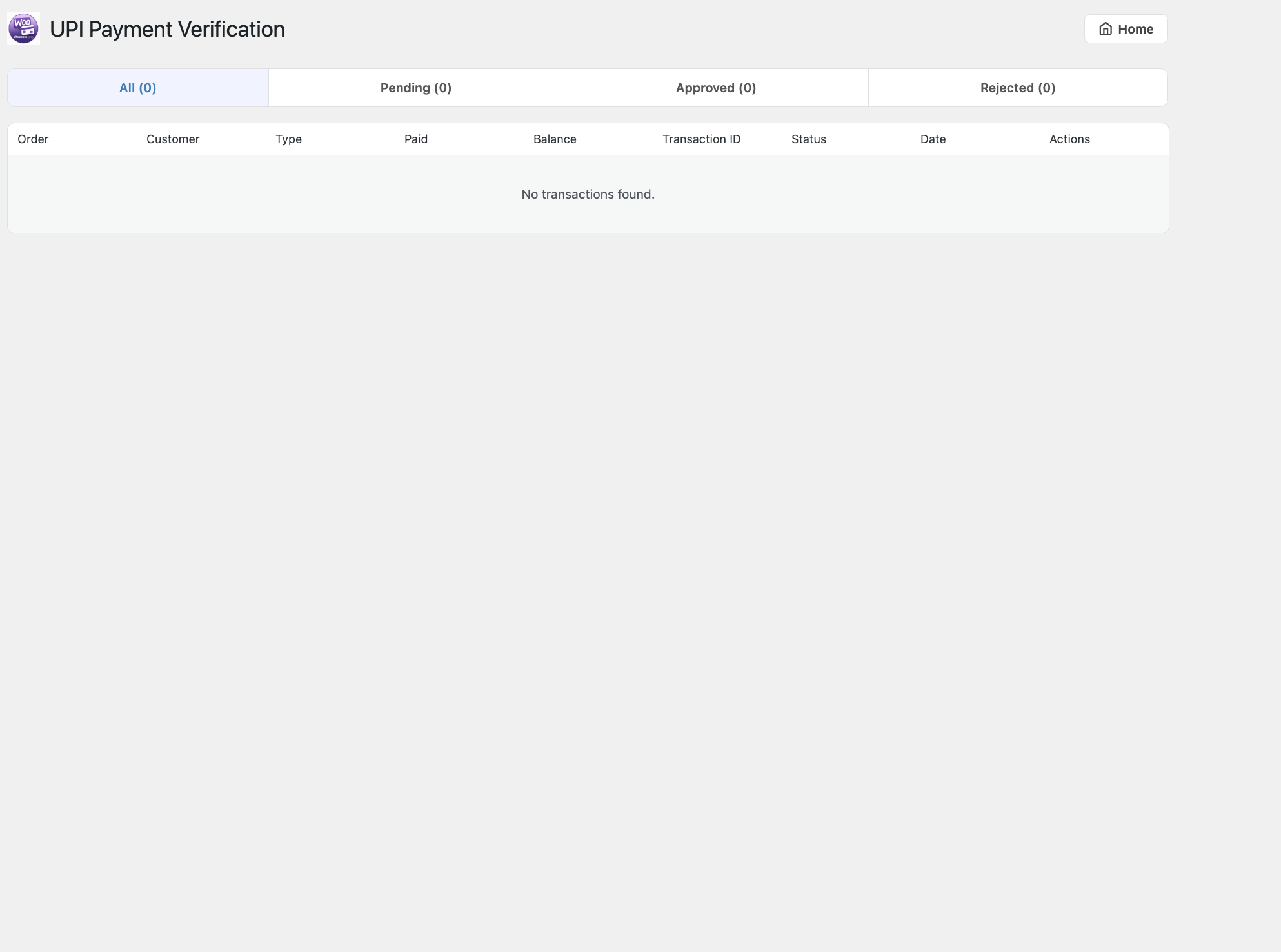
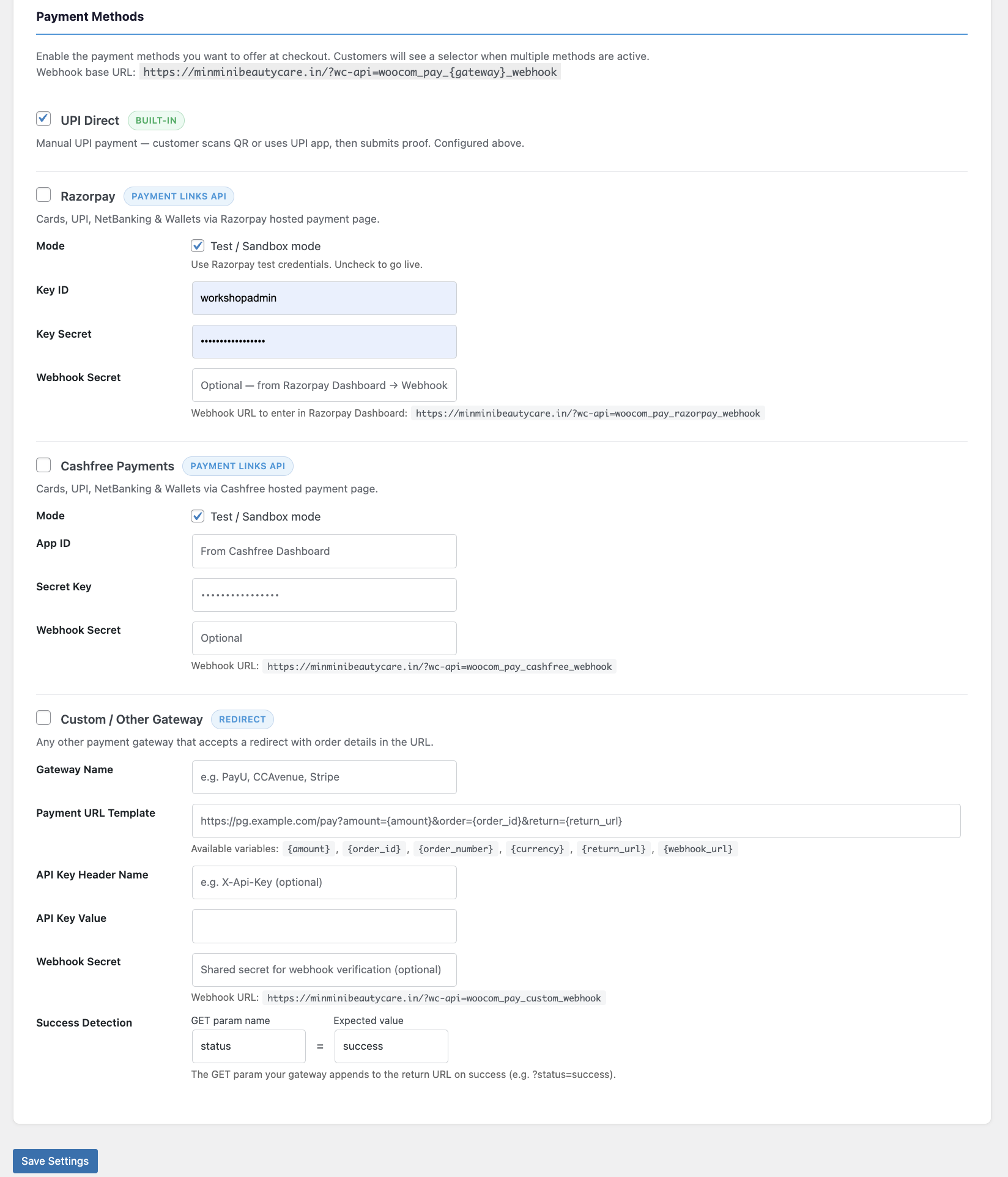
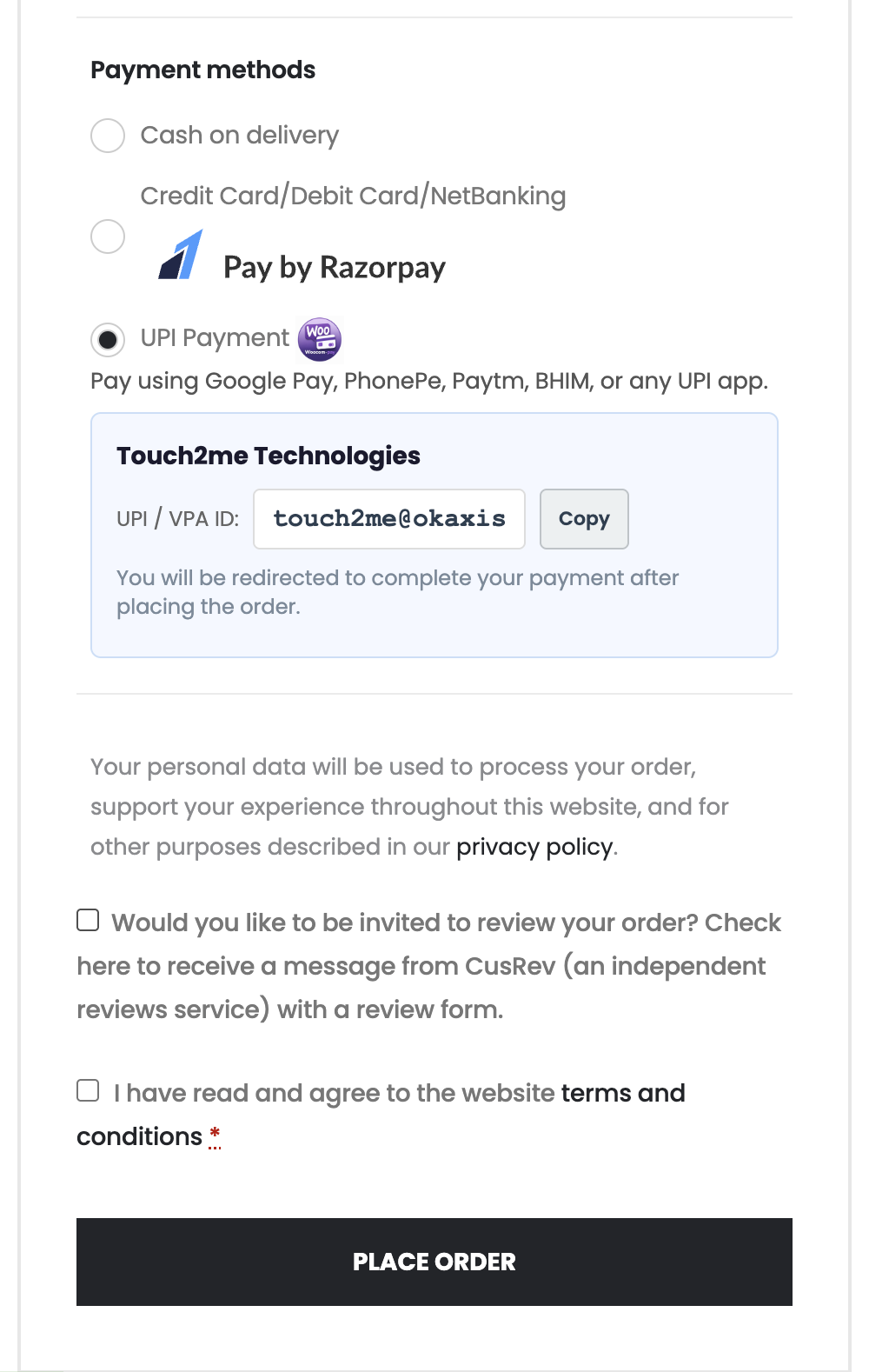
Razorpay, Cashfree, UPI Direct, and custom gateways — all in one plugin. Full & partial payment support, instant auto-verification, and a powerful admin dashboard.
Supports these payment gateways
One plugin. Four gateways. Zero compromise on features.
Show UPI, Razorpay, Cashfree, and custom gateways as selectable sub-methods inside a single WooCommerce payment option. Customers pick at checkout.
On mobile, a "Pay Now via UPI" button opens the customer's installed UPI app (Google Pay, PhonePe, Paytm, BHIM) with amount pre-filled.
Razorpay and Cashfree integrations create hosted payment links via API. Customers are redirected to the gateway's secure hosted page.
Signed webhook endpoints for every API gateway. Orders are updated automatically the moment payment is confirmed — no manual action needed.
Per-product: choose full payment, fixed partial, or percentage partial. Customers pay an advance and receive a balance payment link by email.
Upload your UPI QR code in gateway settings. On payment page, customers can upload a payment screenshot as proof for admin verification.
HMAC-SHA256 signature checks on every Razorpay and Cashfree return and webhook request. Prevents spoofed payment completions.
Automatic emails on payment submission, approval, rejection, and balance reminders. Admin also receives notification emails.
Add any redirect-based payment gateway using a URL template with variables: {amount} {order_id} {return_url}
Clean, intuitive interface — for you and your customers
From install to first payment in minutes
Upload the plugin ZIP to WordPress. Activate it — DB table and upload folder are created automatically.
Enable UPI and enter your UPI ID. Optionally add Razorpay or Cashfree API keys in Woocom-Pay Settings.
Choose full or partial payment per product. Set advance amount as fixed ₹ or percentage.
At checkout customers select their preferred gateway. UPI opens the app; API gateways redirect to the hosted page.
Webhooks auto-verify API payments. UPI payments can be auto-approved or routed through your admin review queue.
All enabled via a simple admin settings panel — no code changes.
Manual UPI payment — customer scans your QR code or uses a deep link to pay via Google Pay, PhonePe, Paytm, BHIM, or any UPI app.
Built-in · No API KeyCreates a hosted payment link via Razorpay API. Supports all Indian payment modes: cards, UPI, netbanking, wallets, EMI.
API · Payment LinksCreates a payment link via Cashfree API (v2023-08-01). Sandbox and live mode. Supports cards, UPI, netbanking, and wallets.
API · Payment LinksAny gateway that accepts a redirect URL with amount and order details. Configure a URL template, success param, and optional webhook secret.
Fully ConfigurableSet partial payment rules per product. Choose a fixed amount or a percentage advance. The plugin handles all the math, status updates, and balance reminders.
Everything you need to track, verify, and manage every payment.
Review submitted UPI transactions with screenshot previews. Approve or reject with one click.
Awaiting Pay · Pay Submitted · Pay Verified · Balance Pending · Balance Submitted · Pay Rejected
Enable/disable each gateway, enter API credentials, and copy webhook URLs — all in one settings page.
See paid amount, balance due, transaction records, and gateway used directly in each order's detail page.
Customer and admin emails for every payment event: submission, approval, rejection, and balance reminders.
Upload your UPI QR image via the WordPress media library. Displayed on desktop payment pages.
Customer payment screenshots stored in a protected upload directory — PHP execution blocked by .htaccess.
Fully supports WooCommerce High Performance Order Storage (HPOS). Works with both HPOS and legacy CPT.
Start free with UPI payments. Upgrade to Pro when you need Razorpay, Cashfree, or custom gateways.
Need a custom quote for multiple stores or white-label license? Contact us and we'll work something out.
Free UPI plan forever. Upgrade to Pro for Razorpay, Cashfree & more.
Built and maintained by Touch2me Technologies · India · No subscription · No transaction fees